Updating Your Email Address
When registering for a myFHR account you are required to enter your email address. Your entered email address becomes your myFHR user name and is used by myFHR support to respond to your inquiries.
To update your email address if you entered an incorrect email address during registration, or if your email address has changed:
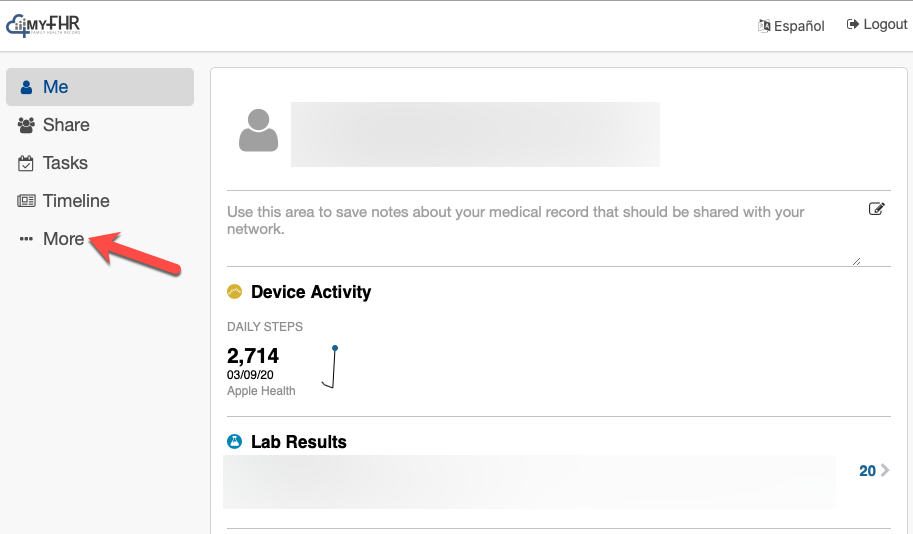
- Select the "More" tab.
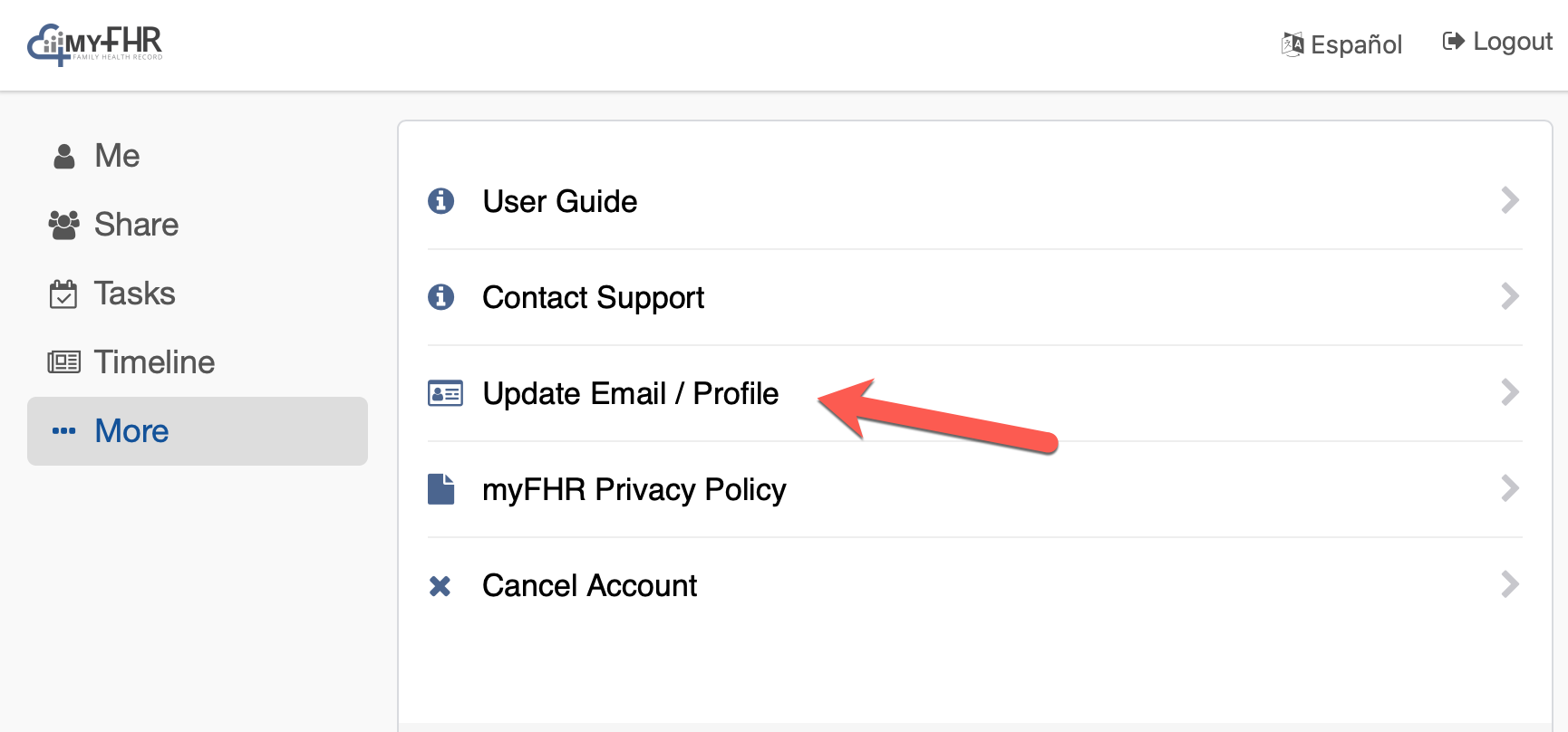
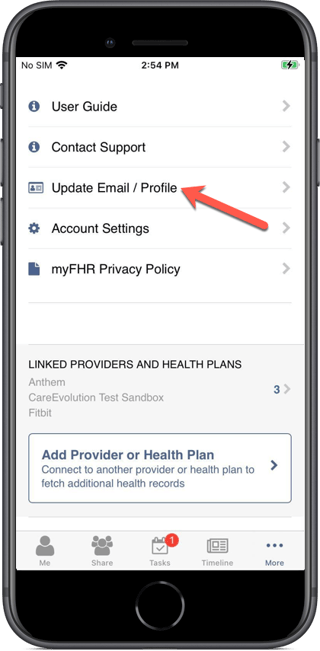
- Select "Update Email / Profile."
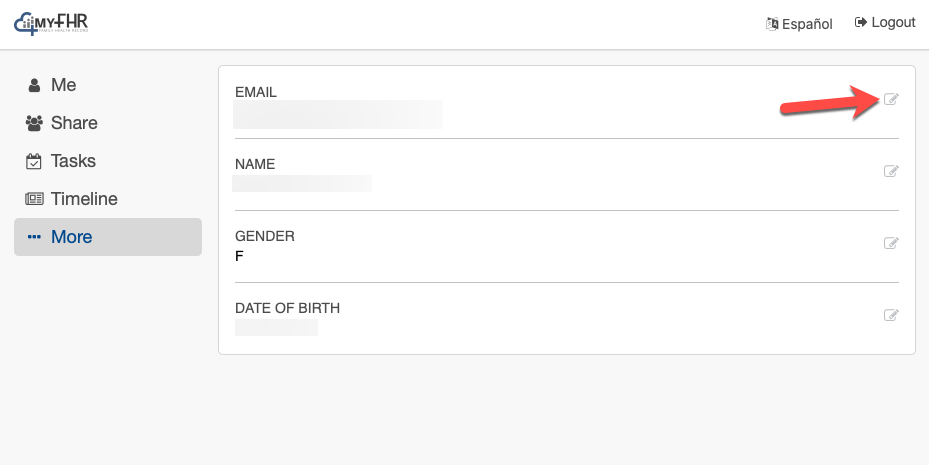
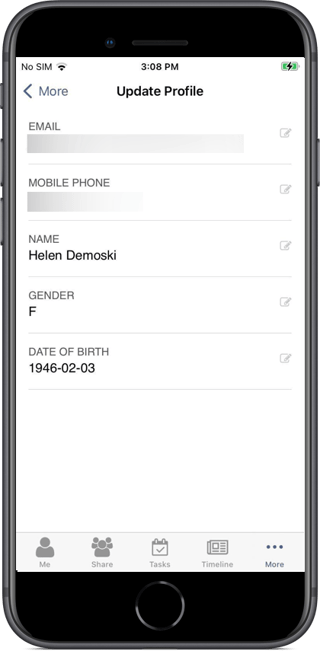
- Select the edit icon adjacent to your email address.
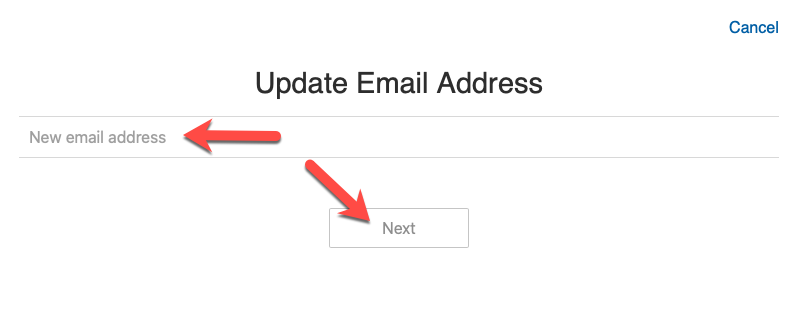
- Enter your updated email address and then select "Next."
- You will see the following message.
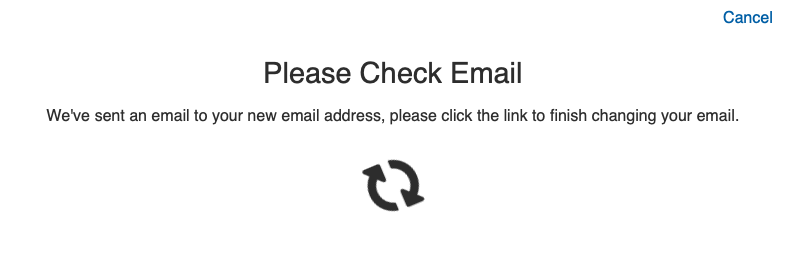
- Open the email sent to your updated email address, and click the link to finish changing your email address. You will then be taken back to the myFHR Profile screen.
If you entered an incorrect email address during registration, until your email address is corrected, you will not be able to verify your email address. This prohibits you from sharing data with family and friends.
Updating Your Mobile Phone Number
- Touch the "More" tab.
- Touch "Update Email / Profile."
- Touch "MOBILE PHONE."
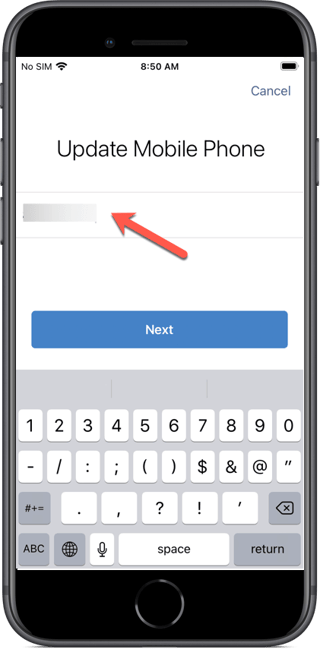
- Enter your phone number. Click "Next."
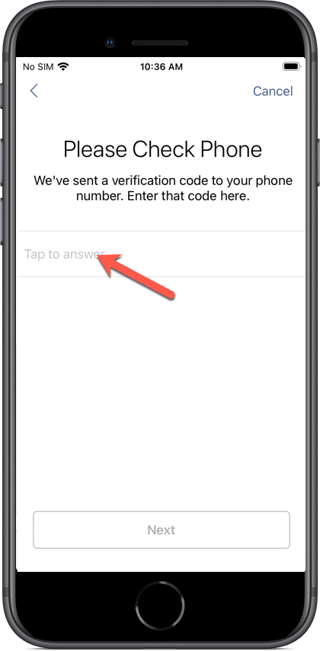
- Enter your verification code. Click "Next."
- Your updated mobile phone number displays on the "Update Profile" screen.
Updating Your Profile Information
To update your name, gender, or date of birth:
- Touch the "More" tab.
- Touch "Update Email / Profile."
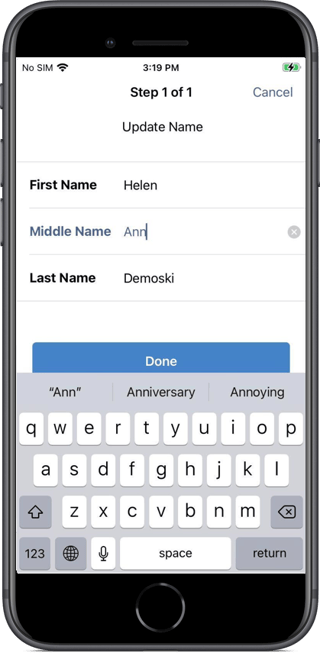
- Touch the item you would like to update (NAME, GENDER, or DATE OF BIRTH).
- Make your update.
- Depending on the device you are using, select either "Done" or "Next" to save your change.
Cancelling Your Account
If you're having difficulties using the myFHR app, please consider contacting customer support before you cancel your account.
If you decide you do want to cancel your account, touch the "More" tab (bottom right), and then touch "Account Settings."
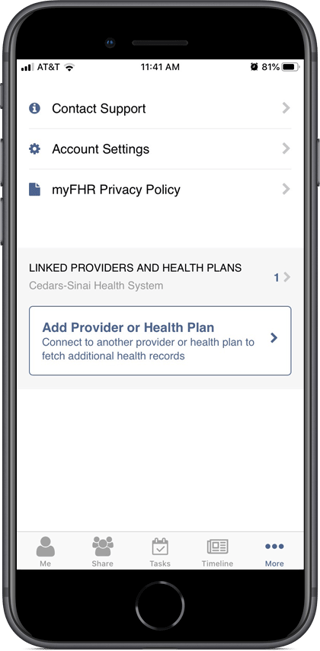
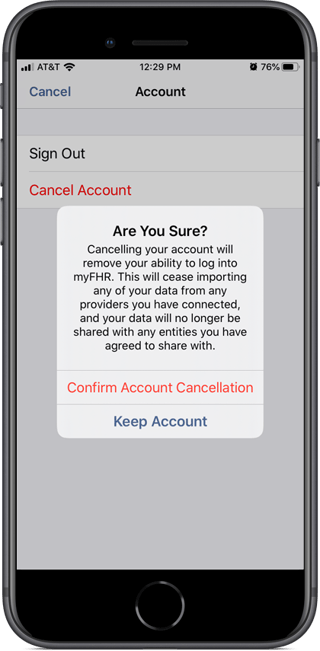
Touch "Cancel Account." The resulting confirmation popup provides the implications of cancelling your account.
Cancelling your account will remove your ability to log into myFHR. This will cease importing any of your data from any providers you have connected, and your data will no longer be shared with any entities you have agreed to share with.
If you no longer want to cancel your account, touch "Keep Account." If you are sure that want to cancel your account, touch "Confirm Account Cancellation."