
If you have access to family and friends' data, their health data will display along with yours on the "Timeline" tab.
While data on the "Me" tab is grouped by health data category (e.g., lab results), health data on the "Timeline" is grouped by date. One date can include multiple categories.
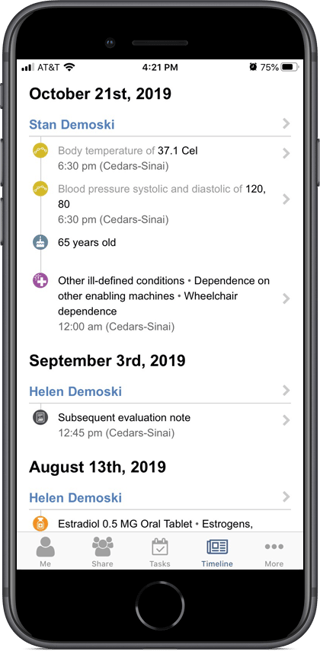
In addition to the health data available on the "Me" tab (lab results, medications, immunizations, allergies, reports, conditions, and procedures and services), the "Timeline" tab also includes birthdays and observations. Observations are recorded vital signs such as pulse, blood pressure, respiratory rate, and temperature.
Understanding the "Timeline" Tab Icons
The table below provides the icon that is used for each "Timeline" tab data category.
| Icon | Data Category |
 |
Allergies |
 |
Birthday |
 |
Conditions |
 |
Immunizations |
 |
Lab Results |
 |
Medications |
 |
Observations |
 |
Procedures and Services |
 |
Reports |
Viewing Health Data Details
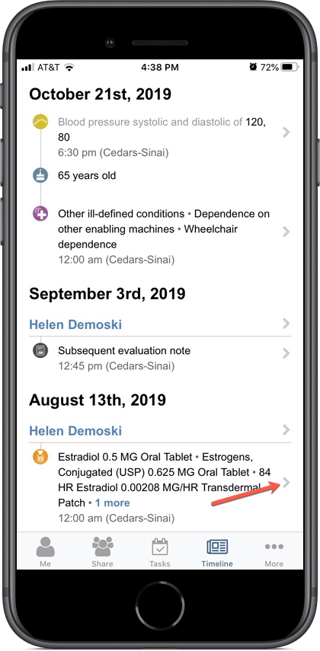
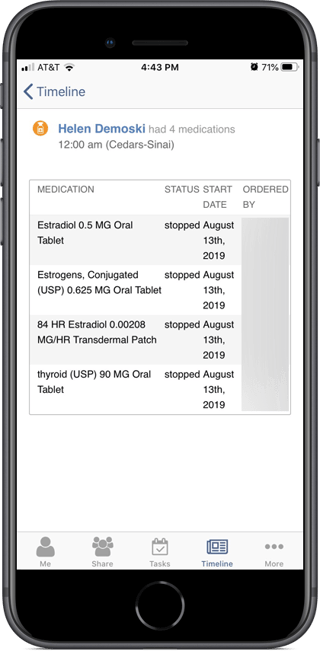
Touching the caret to the right of each health data entry displays the details.
Viewing a Person's Health Data in Categories
Touch the caret to the right of a name (your name or your family member or friend's name) to open a screen that displays that person's health data categories.
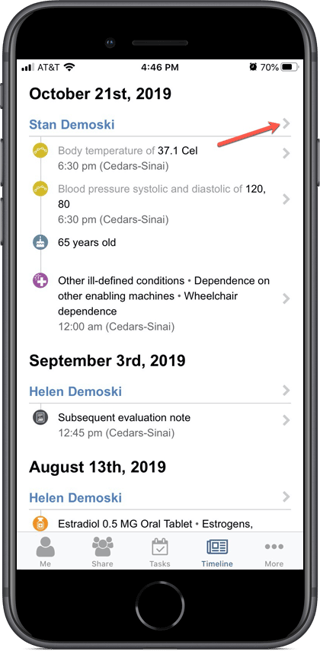
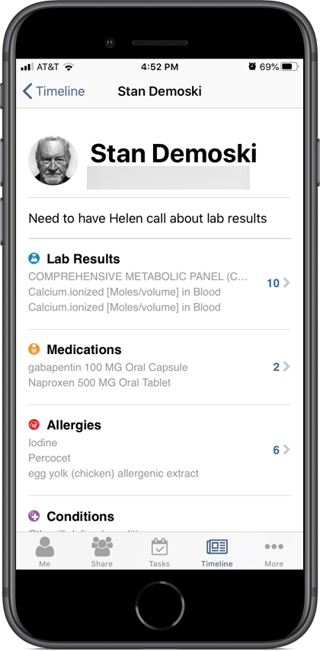
Touch the caret to the right of a health data category to view further details. Touch the caret to the left of the person's name to return to the "Timeline" tab.