
Updating Your Password
If you forget your myFHR password, or would like to change it for any reason, first sign out of myFHR.
If you access myFHR through Anthem, Apple, or Google Single Sign-On, you do not have a password for myFHR and would not need to reset it.
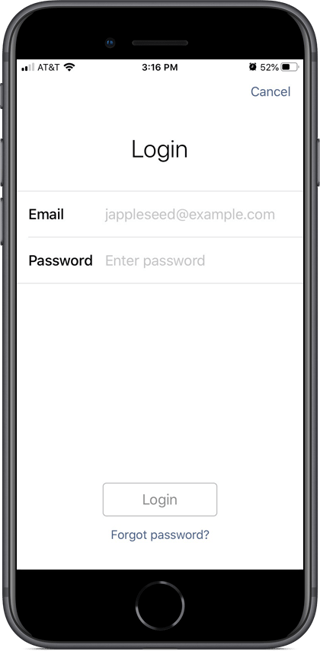
Open myFHR, touch "Sign In," and then on the resulting "Login" screen enter your email address (this is your username) and then touch "Forgot your password?".
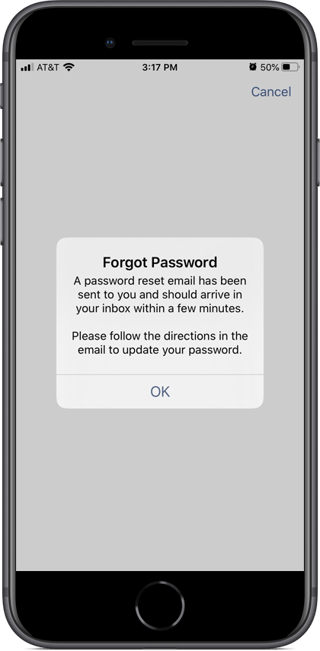
A message displays indicating that a password reset email has been sent to you. Follow the instructions in the email you receive to reset your password.
Signing Out of myFHR
Staying signed in on your myFHR app gives you convenient access—you won't need to sign in each time you open the app.
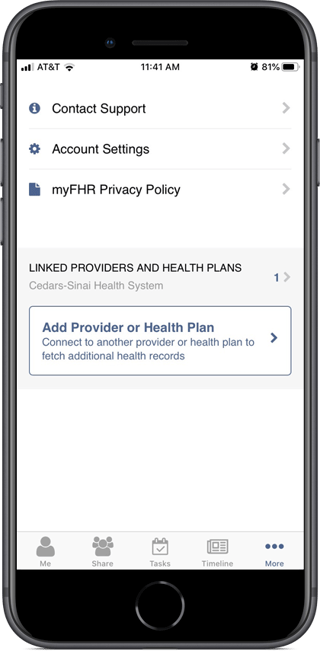
If you do want to sign out, touch the "More" tab (bottom right), and then touch "Account Settings."
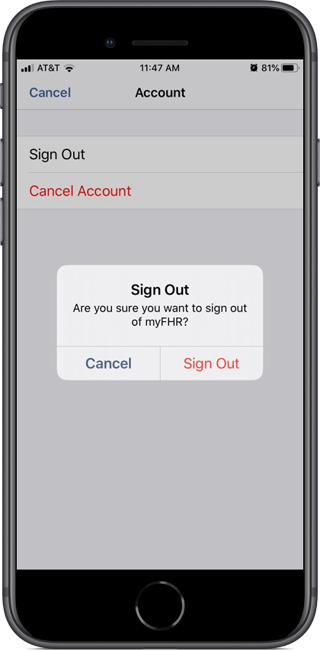
Touch "Sign Out" on the screen and then again on the resulting confirmation popup.
How CareEvolution Secures Your Data
Your data is maintained in the United States by us, CareEvolution, or our authorized partners. We use appropriate physical, organizational, and technical safeguards designed to protect the confidentiality, integrity, availability, and privacy of the data we collect. For example, data is encrypted both at rest and in transit using encryption algorithms that have been validated by the National Institutes of Standards and Technology’s (NIST’s) Federal Information Processing Standards (FIPS) publication 140-2. These are the standards recommended by the Department of Health and Human Services for securing health information. We strive to protect the privacy of the Personal Information we collect and hold but we cannot guarantee complete security. Unauthorized entry or use, hardware or software failure, and other factors, may compromise the security of data at any time.
Privacy and Use Policy
myFHR comes to you from CareEvolution, trusted by the country’s leading hospital systems and health plans to manage data on over 130 million Americans just like you. Your privacy and security are critical. myFHR™ stores data securely in our HIPAA-compliant cloud and we only share your records with people you trust and approve.
Please review our myFHR and MyDataHelps Privacy and Use Policy.